How to Use Apache Cassandra as User and Session DataStore in OpenAM
Introduction
One of the performance bottlenecks of authentication is User DataStore. This becomes noticeable when the total number of user accounts exceeds 4 000 000.
To maintain acceptable performance, the most obvious solution is to scale User DataStore horizontally or vertically. But with an increasing amount of data, DataStore scaling does not affect performance.
With the increasing load on the authentication system, the most obvious solution is to scale horizontally or vertically the number of user repository nodes.
Another alternative solution is to use storage specifically designed for working with large amounts of data. One of such storages is Apache Cassandra. It has proved itself as a high-availability and high-performance datastore.
Prepare Apache Cassandra
Allow materialized views for Cassandra 4+ (in version 3 enabled by default) in conf/cassandra.yaml:
# Enables materialized view creation on this node.
# Materialized views are considered experimental and are not recommended for production use.
enable_materialized_views: true
Prepare Apache Cassandra to use as User DataStore
Сreate the corresponding Keyspaces and tables, for each OpenAM realm, from template import.cql
bin/cqlsh -f import.cqlPrepare Apache Cassandra to use as CTS
Сreate the corresponding Keyspaces and tables, for OpenAM CTS, from template schema.cqlsh
bin/cqlsh -f schema.cqlshOpenAM Setup
Add cassandra contact-points info in bin/setenv.sh and restart OpenAM:
export CATALINA_OPTS=" ... \
-Ddatastax-java-driver.basic.contact-points.0=ip1:9042 \
-Ddatastax-java-driver.basic.contact-points.1=ip2:9042 \
-Ddatastax-java-driver.basic.load-balancing-policy.local-datacenter=datacenter1 \
-Ddatastax-java-driver.advanced.auth-provider.class=PlainTextAuthProvider \
-Ddatastax-java-driver.advanced.auth-provider.username=user \
-Ddatastax-java-driver.advanced.auth-provider.password=password \
"
OpenAM create DataStore
Open OpenAM administration console, goto Realms select target realm, then goto DataStores and create new DataStore.
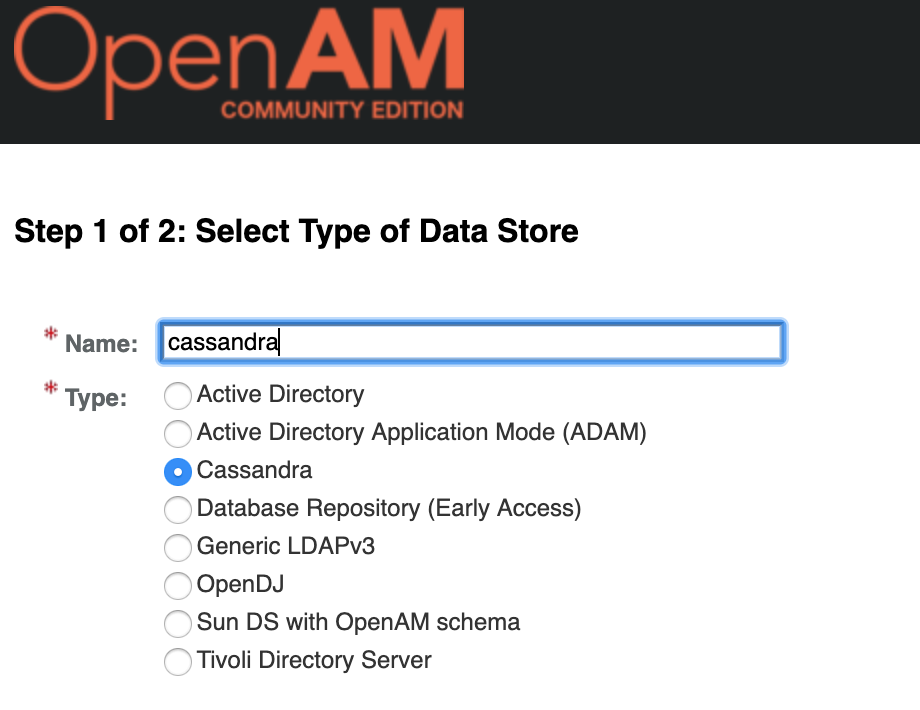
Then setup following settings:
Server settings
| Setting | Value |
|---|---|
Servers |
don’t use (leave blank) |
User name |
don’t use (leave blank) |
Password |
don’t use (leave blank) |
Password (confirm) |
don’t use (leave blank) |
Keyspace |
Cassandra keyspace for this realm |
Plugin configuration
| Setting | Value |
|---|---|
Database Repository Plugin Class Name |
|
Tables |
|
Operations |
|
User Configuration
| Setting | Value |
|---|---|
TTL |
|
Attribute Name of User Status |
inetuserstatus |
User Status Active Value |
Active |
Group Configuration
| Setting | Value |
|---|---|
Attribute Name for Group Membership |
memberOf |
Click the Save button
You can check datastore. Goto Subjects -> Users and create a new user account. For example:
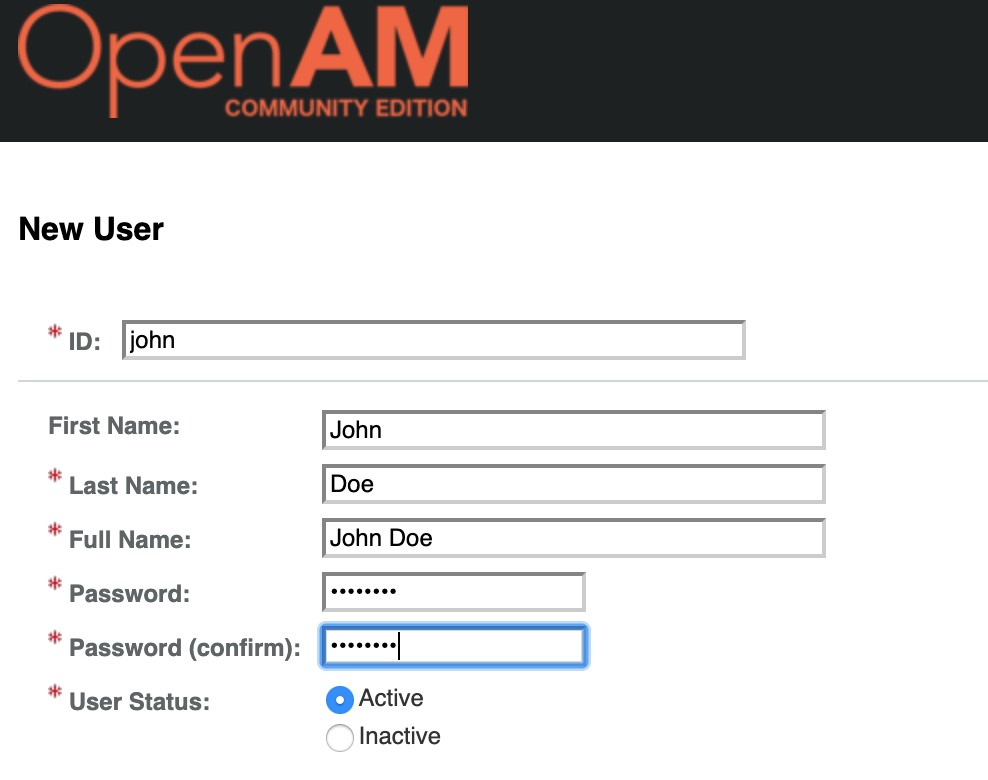
Click Save and make sure, the record exists in Cassandra:
cassandra@cqlsh:realm_name> SELECT * FROM realm_name.values ;
OpenAM CTS Setup
Add cassandra external CTS settings in bin/setenv.sh:
export CATALINA_OPTS=" ... \
-Dorg.forgerock.openam.sm.datalayer.module.CTS_ASYNC=org.openidentityplatform.openam.cassandra.CTSAsyncConnectionModule  \
-Dorg.forgerock.openam.sm.datalayer.module.CTS_MAX_SESSION_TIMEOUT_WORKER=org.openidentityplatform.openam.cassandra.CTSConnectionModule  \
-Dorg.forgerock.openam.sm.datalayer.module.CTS_SESSION_IDLE_TIMEOUT_WORKER=org.openidentityplatform.openam.cassandra.CTSConnectionModule  \
-Dorg.forgerock.openam.sm.datalayer.module.CTS_EXPIRY_DATE_WORKER=org.openidentityplatform.openam.cassandra.CTSConnectionModule  \
-Dorg.forgerock.services.cts.store.root.suffix=cts.tokens  \
"
restart OpenAM, login and check session info in Cassandra
cassandra@cqlsh:cts> SELECT * FROM cts.tokens ;