Authorization Flow with OpenAM and OpenIG
The browser accesses a protected API or UI through OpenIG. OpenIG redirects unauthenticated requests to OpenAM, validates the returned session token, and checks authorization before forwarding the request to the protected resource.
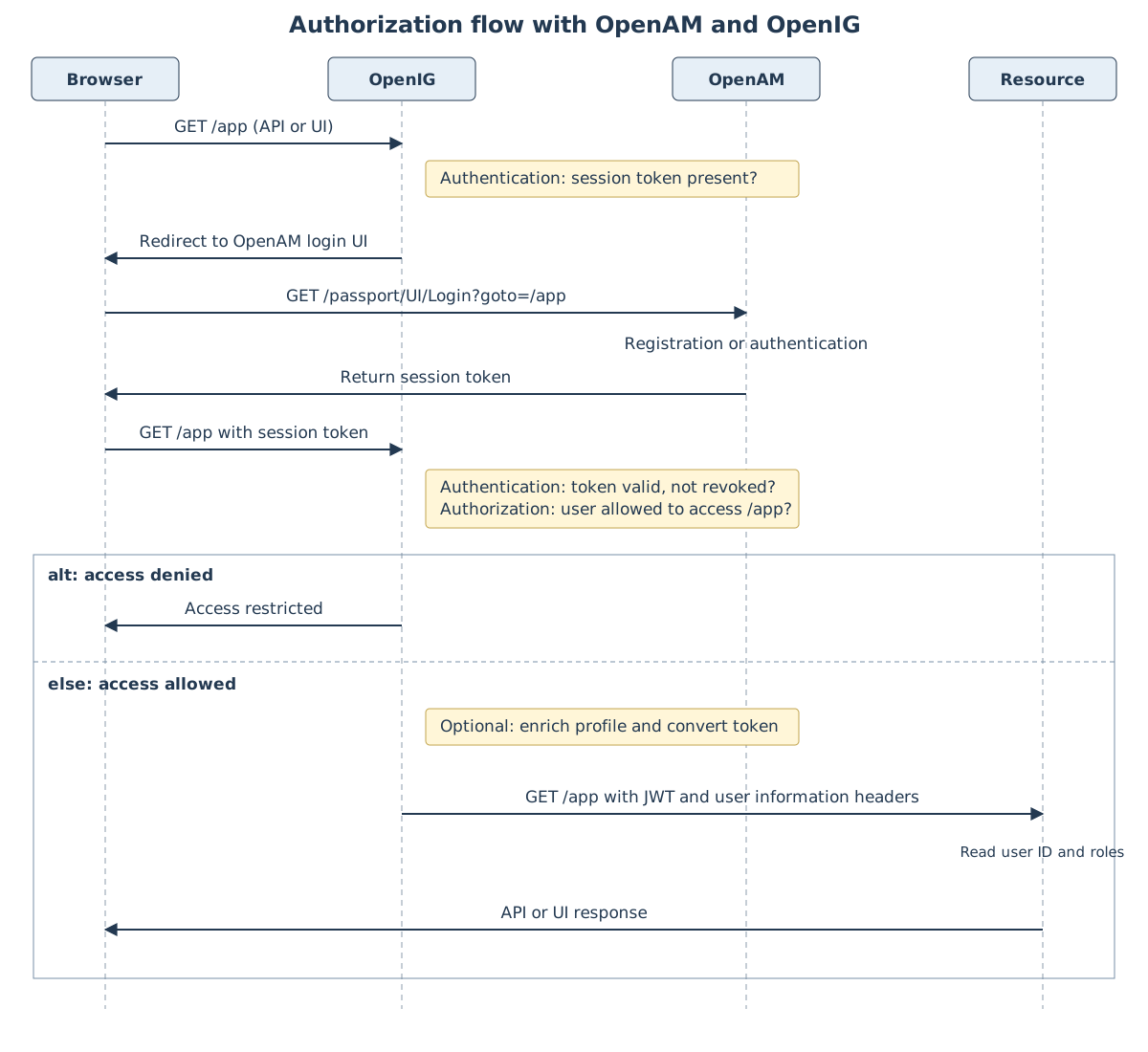
The /passport deployment context and iPlanetDirectoryPro session token below are illustrative. Use your OpenAM deployment context and configured session cookie name. Token conversion and profile enrichment are optional steps.
For a complete configuration, see the OpenAM and OpenIG authorization tutorial.
The sequence diagram is also available as text:
title Authorization flow with OpenAM and OpenIG
Browser -> OpenIG: GET /app (API or UI)
note right of OpenIG: Authentication: check for a session token
OpenIG -> Browser: Redirect to OpenAM /passport/UI/Login?goto=/app
Browser -> OpenAM: Open the authentication UI
note right of OpenAM: Registration or authentication
OpenAM -> Browser: Session token
Browser -> OpenIG: GET /app with the session token
note right of OpenIG: Authentication: token valid and not revoked?
note right of OpenIG: Authorization: user allowed to access /app?
alt Access denied
    OpenIG -> Browser: Access restricted
else Access allowed
    note right of OpenIG: Optional profile enrichment and token conversion
    OpenIG -> Resource: GET /app with JWT and user information headers
    note right of Resource: Read the user identifier and roles
    Resource -> Browser: API or UI response
end